Structured Output Formats for Meeting Note Portability
The format an AI meeting tool produces determines that notes either stay usable inside one app or move cleanly into every system a team depends on, and that single fact is the most underrated decision in the category. Most buyers judge these tools on transcription accuracy, price, and which video platforms they support, treating output format as an afterthought rather than the central variable. That judgment made sense in earlier years, but it no longer reflects where the real competition sits. Hands-on testing across more than 50 real meetings found the leading tools all landing in the 90 to 95 percent accuracy range for English transcription, so accuracy has stopped being the axis on which these products separate from each other. The tools pulling ahead in 2026 are the ones connecting meeting content to email threads, CRM records, and cross-meeting search, and none of that is possible without structured, portable output, a readable summary alone cannot do it. What actually lets a meeting note travel into a CRM, a project tracker, or an AI assistant without a person retyping it by hand is which format properties it has, not which tool transcribes best.
What structured meeting output contains, and what unstructured output leaves out
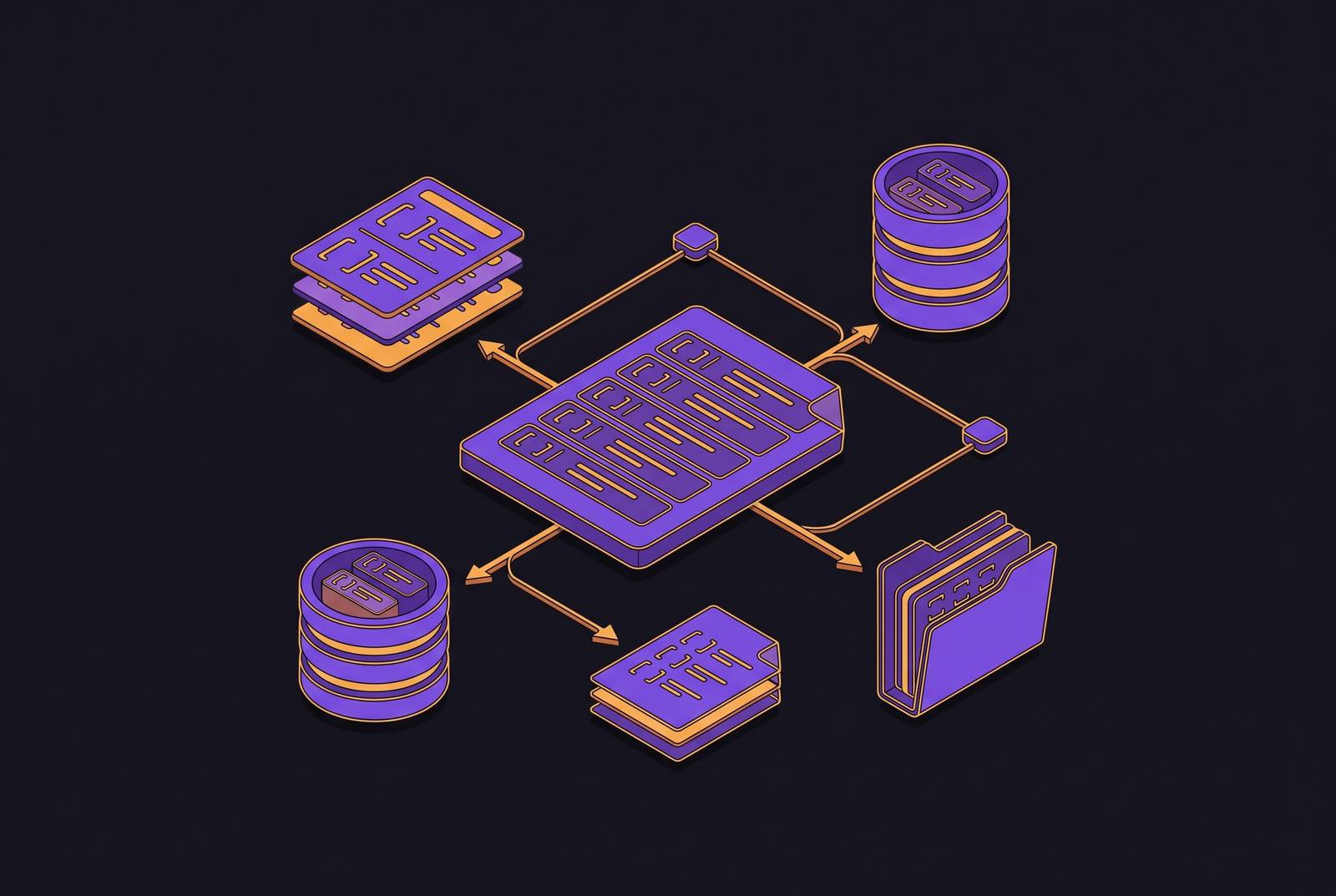
Structured output is a set of distinct, labeled fields rather than a block of prose. The 2026 standard for this format includes an executive summary, a list of decisions, action items tied to named owners and due dates, open questions, and topical sections, with each of these treated as its own separate element rather than folded into a paragraph. Unstructured output, by contrast, is a long summary or a raw transcript that contains the same underlying information but leaves it embedded in sentences. A downstream system cannot read a paragraph and determine which sentence is an action item, who is responsible for it, and when it's due, so the information sits there technically present but functionally inert.
This distinction depends on one technical prerequisite: speaker diarization, the process of reliably identifying who said what during a call. Leading products now handle this reliably for meetings with ten or more distinct speakers, and without that reliability, structured fields like "owner" or "assignee" have nothing solid to point to. A tool can produce a beautifully formatted summary and still fail at portability if it cannot tell the reader which of the ten people on the call actually agreed to send the follow-up email. Structure is the scaffolding, not a formatting choice layered on top of the transcript. It's the scaffolding that makes every downstream use of the notes, whether by a human, a database, or an AI agent, possible in the first place.
How format properties determine where notes reach: a CRM, a project tool, or just a folder
Three format properties determine that meeting notes move into the systems a team uses every day: whether fields are discrete and labeled, whether action items carry assignee and date metadata, and whether the output arrives as structured data rather than formatted text that merely looks organized. Each of these properties maps to a different downstream destination, and each fails in a specific way when the format doesn't hold up.
CRM portability depends on discrete fields. A tool that pushes a block of unstructured text into a CRM's notes field has not integrated with that CRM in any meaningful sense, it has simply relocated the same wall of text to a new location. Some bot-based tools still require a person to approve or assign fields one at a time, or rely on integrations shallow enough that they dump prose into a notes field instead of populating discrete CRM objects like deal stage or contact status. A genuine CRM integration maps extracted action items, deal stages, and contact updates directly to specific fields inside the CRM, while a text dump leaves a human to re-read the note and retype what matters. Coffee's February 2026 release of Custom Meeting Briefings and Summaries shows what the field-mapping version of this looks like in practice: agents connect to Google Workspace or Microsoft 365, monitor calendar events, join calls without a visible bot, and map extracted data to specific CRM fields automatically, with no manual re-entry step.
Project tool portability runs on a parallel requirement, but the metadata that matters is ownership and timing rather than deal data. A task cannot be created in Asana or Linear from a bullet point reading "follow up with client." It needs a named owner, a due date, and enough surrounding context to make sense on its own once it's separated from the meeting it came from. When the output contains those discrete fields, connecting AI-extracted action items to systems like Asana, Jira, and Monday.com can create tasks automatically from meeting commitments.
Two contrasting approaches to this problem illustrate the architectural point rather than settling which is better. One widely used tool built its reputation on integration breadth: more than 50 native connections pushing meeting insights into systems like Salesforce, HubSpot, Slack, Asana, and Notion. Its focus is on data export rather than synthesis, meeting content lands in these other systems, and its Slack integration and an Email Assistant added in August 2026 link that content to related Slack messages and email threads. Cross-channel synthesis across all three channels at once remains limited, though, so when a decision spans a Slack thread, an email exchange, and the meeting itself, a person still has to piece the full picture together manually. A different tool takes the opposite architectural bet, treating the meeting as a workflow problem rather than a transcription problem, with structured agendas before the call, transcription and notes during it, and an AI agent handling follow-through afterward, and that sequence only works because its output stays structured at every stage, not just at the summary step. Neither approach is wrong. They represent different bets on where structure needs to live, and the bet a team should make depends on whether its bottleneck is getting data out of the meeting or getting decisions across channels synthesized in one place.
Bot-based vs. botless capture and output structure
How a tool captures audio in the first place shapes which structured fields it can produce, and this decision reaches well past privacy preference into the mechanics of portability. Bot-based tools join a call as a named, visible participant and receive a direct audio feed from the meeting platform itself. That direct feed enables accurate speaker identification mapped to actual participant names, which is the prerequisite for assigning an action item to a specific person rather than an anonymous voice. Speaker identification quality is not a cosmetic detail. It determines that an action item lands in a CRM or project tool with a real name attached to it, instead of being left as "someone agreed to do this," a note with no owner and no accountability.
Botless tools capture audio locally without any visible bot joining the call, and that architecture trades away some of that speaker metadata precision in exchange for privacy and a cleaner client-facing experience. One such tool captures audio locally on a Mac and generates structured notes without a bot ever entering the meeting, an approach confirmed as privacy-first but carrying a real trade-off: it does not support enterprise CRM automation the way a bot-based feed does. Another no-bot product built around the same local-capture model produces structured output that works well for individual recall and solo workflows, but the absence of server-side speaker mapping caps how reliably it can populate CRM fields automatically.
Neither architecture is a mistake. The choice is a genuine trade-off that depends on what a team actually needs. Teams that need notes to flow automatically into CRM fields with named owners should lean toward bot-based tools, while teams operating in sensitive client contexts, such as legal consultations or executive briefings where a visible recording bot could chill the conversation, may reasonably accept less automation in exchange for no bot appearing on the call. The right answer depends on which cost a team is more willing to absorb: manual data entry, or a visible recording presence.
MCP and structured output connect meeting notes to AI assistants
Meeting notes reach AI assistants like Claude, ChatGPT, and Cursor only when their format is structured enough for a server to expose it as discrete, queryable resources. A raw transcript or a prose summary fails that test regardless of how well-written it is. The mechanism enabling this connection is the Model Context Protocol, or MCP, which follows a straightforward chain: a host application connects through a client to a server, the server exposes tools and data as resources, and results flow back to the host. What matters for meeting notes specifically is what counts as a usable resource inside that chain. An LLM asked "what did the client agree to in last week's discovery call" needs named fields to query against, an owner field, a decisions field, a date field, not a paragraph it has to parse and guess at.
There's also a cost to getting this wrong that goes beyond accuracy. Tool descriptions and MCP server instructions already consume a meaningful share of the context an AI agent ingests when it onboards a new tool, and if that volume isn't managed carefully, it can exhaust the model's available context window. Compact, structured summaries carry the same information as a raw transcript in far fewer tokens, which makes them more useful to an agent operating under that constraint, not just easier for a person to skim. One practical example of this pattern: a note-taking product runs a local MCP server that lets Claude Desktop, Claude Code, and OpenAI Codex connect directly to a user's notes, tasks, and task domains, giving the connected model the ability to create notes, search and filter existing ones, read note content as markdown, and insert or update tasks directly. None of that is possible unless the underlying notes are already structured as discrete, labeled objects that a server can expose one at a time.
This connects to a larger problem most organizations already have: information scattered across Confluence, Jira, SharePoint, Slack, CRMs, and a long list of other databases, with no coherent way for an AI agent to work across all of it. Context engineering is the discipline of building the architecture that unifies these scattered sources into a searchable knowledge structure an agent can actually use. Meeting notes in structured format are one of the richest inputs available to that structure, carrying decisions, owners, and open questions in a form a machine can index. Meeting notes left as prose are nearly invisible to it, sitting in a folder somewhere, technically searchable by keyword but useless as a source an agent can reason over.
Format portability across languages and in-person meetings, where structure is harder to produce
Structured output degrades under two conditions where teams need it most: multilingual meetings and in-person conversations. The portability guarantees that hold up cleanly on a clean video call do not hold at the same strength in multilingual meetings and in-person conversations, where context is already hardest to preserve. Accuracy across languages varies significantly by tool. One widely used product achieves near-perfect accuracy in English but drops to 80 to 85 percent in multilingual scenarios, another supports more than 60 languages with accuracy that varies outside English, and a third has built its identity around multilingual handling, making it a common choice for international teams specifically because of that focus. That gap in raw accuracy compounds downstream: if speaker turns are misidentified or individual words are mis-transcribed in a language the model handles less reliably, then the action item extraction and field mapping that portability depends on inherit that unreliability. A missed name or a garbled date doesn't stay a transcription error, it becomes a broken field in whatever CRM or task tracker the note was supposed to feed.
In-person meetings introduce a separate constraint. Botless local capture exists for these settings, but diarization without a server-side participant roster is a harder problem to solve than diarization on a video call, where each participant's audio arrives on a separate channel tied to a named account. That difficulty limits how reliably owner metadata can be attached to action items generated from an in-person conversation. A tool built around real-time translation across more than 30 languages addresses part of the multilingual gap for international teams, though processing speed and the depth of the resulting analysis still have room to improve. None of this means multilingual or in-person meetings are unusable for structured capture. It means the portability a team can expect from a clean, English, single-room video call is not the portability it should expect everywhere else, and evaluating a tool on English performance alone will overstate what it can deliver for a global or in-person workflow.
Consent, compliance, and how legal constraints shape which output formats are safe to produce and share
Every format decision covered so far assumes the recording itself is legal to make and safe to distribute, and that assumption does not hold uniformly across jurisdictions. Recording a Zoom, Teams, or Google Meet call is legal under federal law with the consent of just one party, but 14 states require consent from everyone on the call, and when participants are located in different states, the strictest applicable law governs the whole meeting. A call between someone in Texas and someone in California requires all-party consent even though Texas alone would not require it. That rule alone means the same tool, configured the same way, can be compliant in one meeting and non-compliant in the next, depending entirely on where the participants happen to be sitting.
AI-generated transcripts carry compliance obligations well beyond the initial consent question: participant notice, data retention limits, which vendors have access to the recording, handling of biometric data such as voiceprints, confidentiality, and attorney-client privilege where it applies. This is where the portability argument and the compliance argument collide directly. The same automatic push into a CRM or a shared Slack channel that makes structured output valuable, moving notes instantly into the systems a team already works in, can also constitute disclosure of meeting content to third-party systems that no participant consented to at the time the recording was made. A structured note that maps cleanly into a CRM field is not automatically a note that was legally safe to generate or share in the first place.
The capture architecture itself carries consent implications that go beyond a technical preference. A visible bot joining a call functions as a consent signal, giving every participant a clear indication that the conversation is being recorded and processed. Botless local capture provides no equivalent signal, which is a genuine trade-off in transparency, not simply a matter of aesthetics or client comfort. For legal, consulting, and executive meetings where confidentiality and privilege are live concerns, that absence of a visible signal is a factor that belongs in the same conversation as portability and structure, not a separate afterthought. The format a team chooses to produce has to satisfy the systems it needs to reach, and it has to satisfy the law governing the room the meeting happened in.