Audio Quality Factors That Degrade Meeting Transcription
Poor audio conditions, not weak AI models, cause meeting transcription failures.
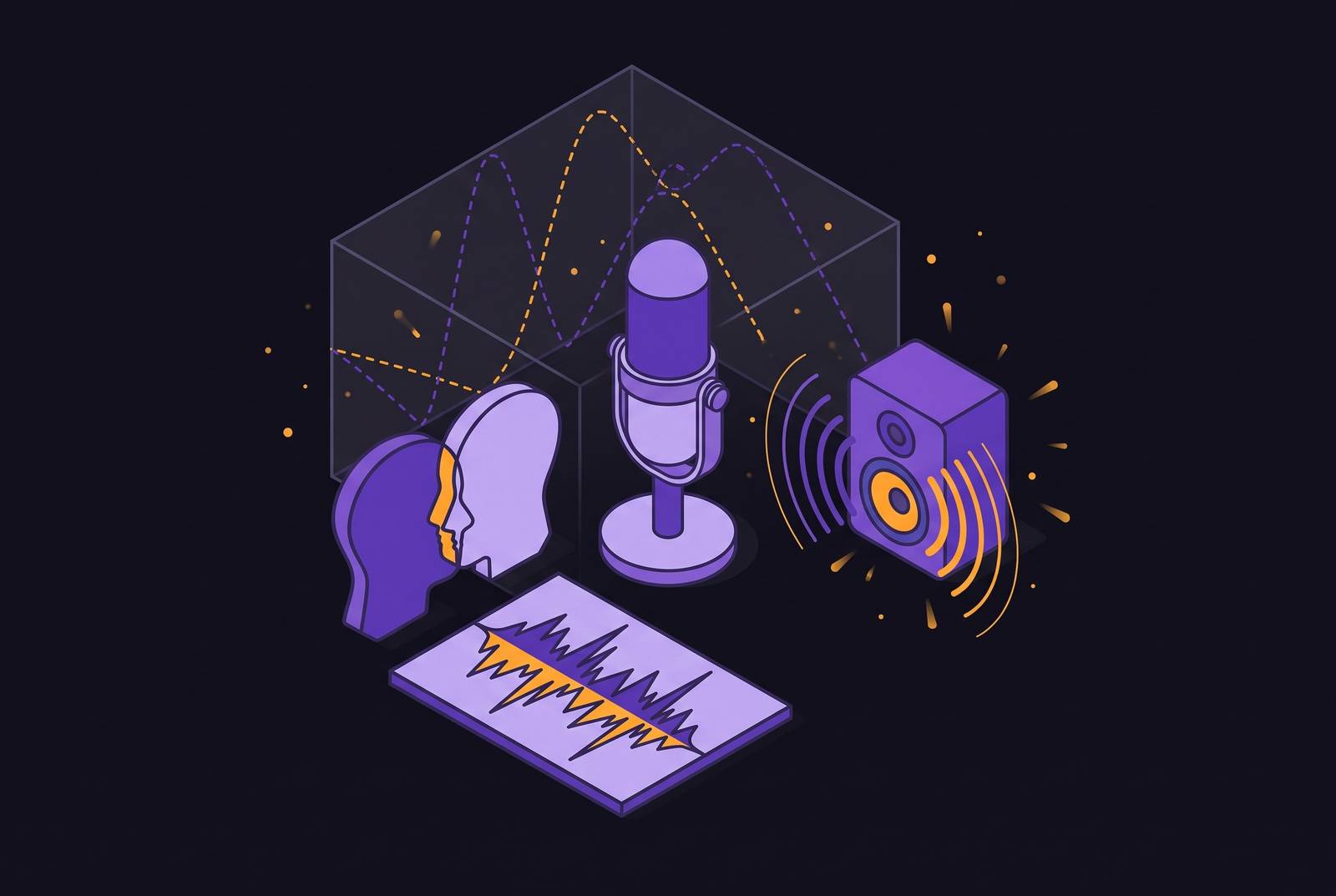
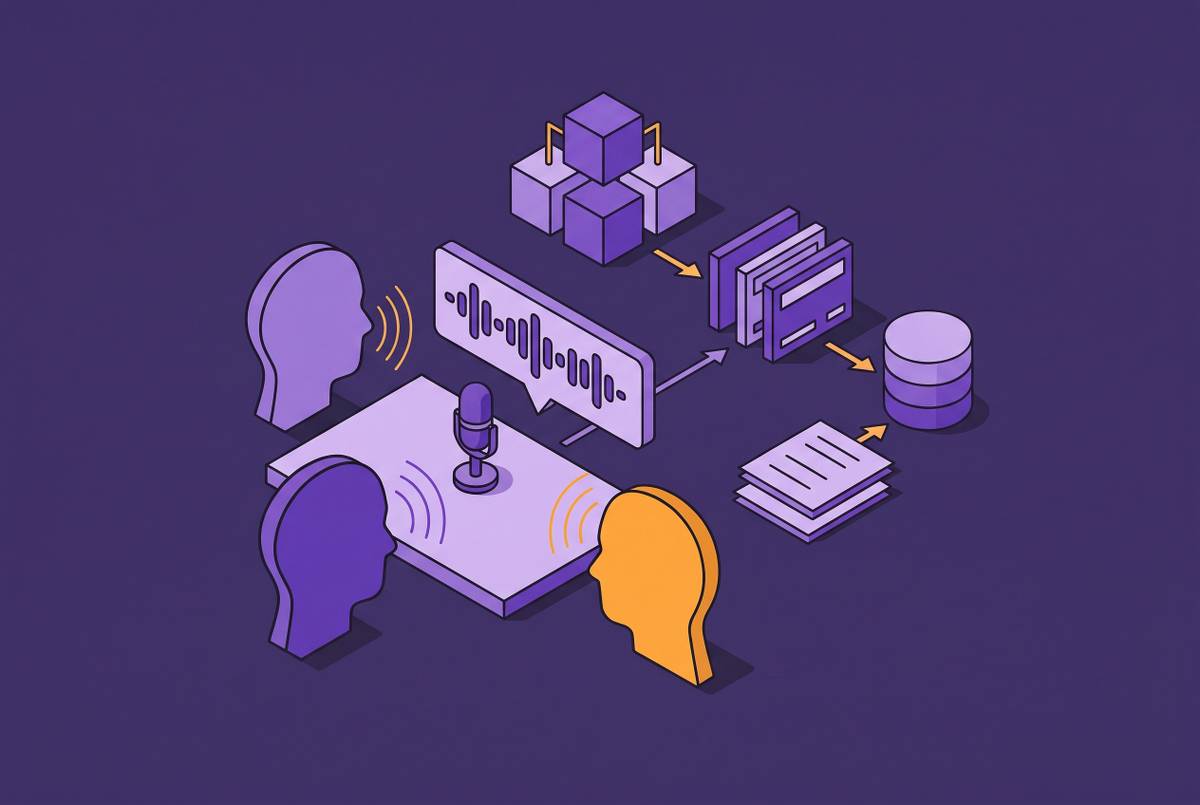
Most people blame the AI when a meeting transcript comes back full of garbled sentences and misattributed lines. The actual cause almost always sits upstream of the model: the audio it was handed. GoTranscript's benchmarks put top speech recognition engines at 95 to 98% accuracy on clean, studio-quality audio, but Sonix's research puts the real-world average across platforms at 61.92%. That gap doesn't come from weak models. It comes from what the microphone picked up before the model ever got a chance to work.
Deepgram's own analysis of a contact-center deployment makes the point concrete: the same API, same code, running at 92% accuracy on clean headset audio, dropped to 78% in conference rooms, and fell further to 65% on mobile calls with background noise in the mix. Nothing about the model changed between those three numbers. The acoustic environment did.
This matters more now because meeting transcription has become the fastest-growing corner of the transcription market. Sonix projects it going from $3.86 billion in 2025 to $29.45 billion by 2034, a 25.62% compound annual growth rate. More meetings get recorded every year. More people are running into audio problems they don't know they have. The fixes covered below aren't independent either. Background noise, echo, and a bad microphone don't just add up, they compound, and ignoring one makes every other problem on this list worse. Fix the audio conditions first. Model selection is a distant second.
How speech recognition models turn audio into text
A speech recognition model doesn't "hear" the way a person does. It takes an acoustic signal and matches patterns in it against learned representations of phonemes, the small units of sound that build up words. A clean signal gives the model strong evidence to work from. A degraded signal forces the model to fill gaps with guesses, some of which will sound plausible and be wrong.
Word Error Rate is the standard yardstick here: WER equals the number of substitutions, deletions, and insertions divided by the total number of words in the reference transcript. A 15% WER means 15 mistakes for every 100 words spoken. A 5% WER transcript can be skimmed and used, while a transcript with much higher WER needs to be rebuilt by hand.
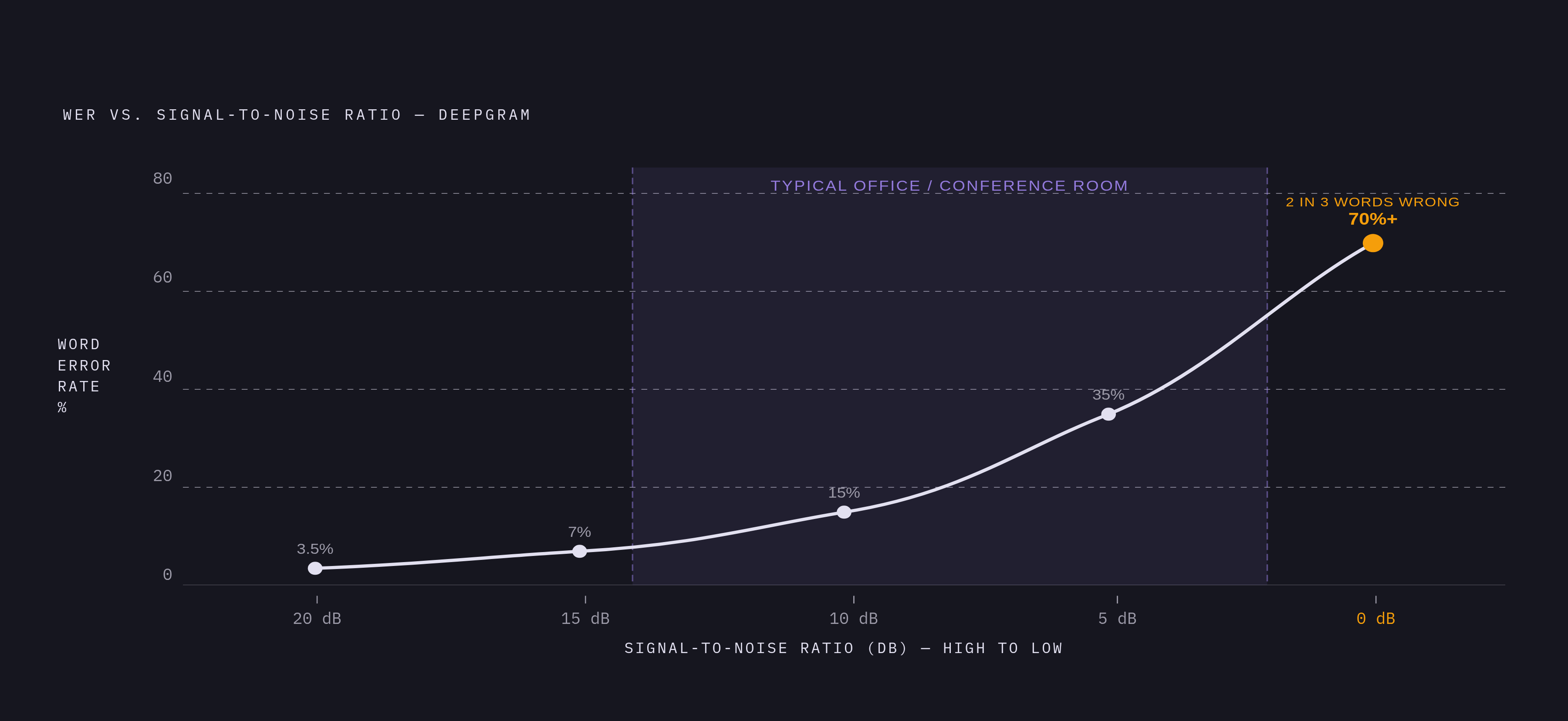
The relationship between signal quality and error rate isn't a straight line, either. Deepgram's production data shows that every 5 dB drop in signal-to-noise ratio roughly doubles the WER. Stacked audio problems do so much damage because of that nonlinearity: a slightly noisy room plus a slightly distant microphone plus mild compression doesn't add three small penalties, it multiplies them.
Speaker diarization, the process of tagging who said what, rides on the same degraded signal and breaks down for the same reasons. When the acoustic evidence is thin, the model isn't just misrecognizing words, it's also misattributing them to the wrong speaker. And those errors don't stay contained. Downstream tasks like action item extraction and sentiment analysis depend on clean sentence boundaries, and missing sentence boundaries and punctuation in transcripts degrade accuracy on those tasks by 15 to 30%. A bad recording doesn't just cost you a messy transcript. It costs you the summary, the action items, and the record of who agreed to what.
The rest of this piece walks through the specific conditions that degrade that input signal, one at a time.
Signal-to-noise ratio and background noise
Background noise doesn't just add clutter to a recording, it masks speech directly, especially when the noise occupies the same frequency range as the human voice. HVAC hum, open-plan office chatter, traffic bleeding through a window, keyboard clatter, someone refilling a water bottle near the mic: all of it competes with the speech signal for the same acoustic space.
Deepgram's production numbers lay out the SNR cascade clearly. At 20 dB SNR, WER is around 3.5%. At 15 dB, it climbs to roughly 7%. At 10 dB, it's around 15%. At 5 dB, it jumps to about 35%. And at 0 dB, WER climbs past 70%, more than two out of every three words come back wrong. Most real office and conference-room environments fall somewhere between 2 and 14 dB SNR, the range where accuracy falls off a cliff.
Human hearing compensates for background noise in ways a model simply can't replicate; the brain filters out a hum or a distant conversation almost without effort. A model has no such filter. If a person has to strain to make out what's being said, the model is going to get it wrong. A quiet, acoustically treated room and a microphone kept close to the speaker do more for accuracy than any downstream noise-cleanup step applied after the fact.
Echo, reverberation, and speakerphone calls
Echo and reverberation get lumped together with background noise, but they're mechanically different problems, and they call for different fixes.
Reverberation happens when the same sound wave bounces off hard surfaces (glass walls, concrete, whiteboards) and arrives at the microphone multiple times, slightly delayed each time. That smears phoneme boundaries together and confuses the model's ability to tell where one sound ends and the next begins. Echo is a different failure: it's a feedback loop where sound coming out of a speaker gets picked up again by the microphone and looped back into the signal. That's the hollow, cavernous sound familiar to anyone who's sat through a speakerphone call.
Large conference rooms with hard surfaces, ceiling-mounted speakers, and a single microphone in the middle of the table combine both problems at once. The room's size amplifies the reflections, and the distance between any one speaker and the mic makes it worse. Echo cancellation and noise suppression solve different pieces of this puzzle, and running one without the other leaves the untreated issue fully intact.
There's a reliable tell in the transcript itself: words appearing doubled or "ghosted," or audio that just sounds hollow on playback, points to reverberation as the root cause. Soft furnishings and acoustic panels cut down on reflections, directional microphones reject sound coming from off to the side, and echo cancellation belongs at the platform or device level rather than something the transcription model is expected to untangle on its own.
Overlapping speech and crosstalk in multi-speaker meetings
HappyScribe's analysis finds that crosstalk causes more confusion for a transcription model than almost anything else in a multi-speaker meeting. When two people talk at once, the model has no clean way to pull the two waveforms apart. What comes out the other end includes skipped phrases, garbled fragments, sentences that blend words from two different speakers, and mislabeled speaker attribution.
Word recognition and speaker attribution are two separate failure points here. A model can get every word right and still assign half of them to the wrong person, which corrupts the record of who actually said what just as badly as getting the words wrong in the first place.
Even people struggle with this. Even in ideal conditions, speaker attribution during simultaneous speech is a hard problem, and a model faces that ambiguity in the raw signal without the contextual cues a person in the room would pick up on. HappyScribe notes that even a half-second gap between speakers meaningfully improves sentence integrity in the resulting transcript.
Panels, workshops, brainstorming sessions, and sales discovery calls with several stakeholders in the room are the formats most likely to produce this kind of overlap, since they all involve fast turn-taking and frequent interruption. Simple habits help: one person speaking at a time, muting when not talking on video calls, and a designated facilitator in larger group settings. An action item attributed to the wrong person in a transcript is an action item that never gets followed up on.
Microphone type, placement, and the physics of distance
The hardware picking up the sound sets a ceiling on everything downstream. Deepgram's data shows narrowband microphones, the frequency range typical of a standard phone call, producing around 25% WER at a given signal-to-noise ratio. Super-wideband microphones, at the same SNR, bring that down to roughly 12%. That's a 13-point swing from hardware choice alone, before anything else about the recording changes.
Built-in laptop and phone microphones aren't built for isolation. They pick up room echo, keyboard noise, and other people's voices about as readily as they pick up the intended speaker. Distance is the variable most within a user's control: HappyScribe notes that a lavalier mic kept within 6 to 12 inches of someone's mouth produces a clean, isolated signal, while accuracy drops off quickly as that distance grows and ambient sound starts to dominate over direct sound.
For setups with multiple microphones in the same room, spacing matters: HappyScribe notes that a microphone 6 inches from one person needs to be at least 18 inches from the next person over. Break that rule and you get phase cancellation, which produces thin, hollow-sounding audio that gives the model very little to work with. On the waveform itself, thin traces usually mean the capture level was too low, flat-topped peaks mean the signal clipped digitally, and intermittent spikes usually point to environmental interference. Laptop microphone quality varies enormously from one device to the next, so test it rather than assume any given machine is up to the job.
Compression, codec artifacts, and network degradation
Audio almost never reaches a transcription engine in its raw form. It gets encoded, transmitted, and decoded first, and each of those steps is a place where quality can leak out.
Heavy compression strips out parts of the audio spectrum that a speech model relies on to tell similar-sounding words apart. HappyScribe's example is a good illustration: aggressive, low-bitrate compression can turn "fifteen" into "fifty," or "we'll" into "will." Higher bit rates preserve more of that detail; lower bit rates throw more of it away. Lightly compressed or uncompressed formats, WAV, FLAC, high-bitrate MP3, hold onto the vocal nuance the model needs most.
Streaming introduces a separate failure mode entirely. Packet loss, jitter, and poor buffering distort the audio before it ever reaches the model, and there's no fixing that after the fact, since the information is simply gone. Deepgram reports that batch transcription, uploading a full recording after the meeting ends rather than processing it live, tends to outperform real-time streaming by 10 to 17 points of WER. The model gets the whole signal with full context instead of piecing together a partial stream in real time.
Phase cancellation deserves a separate mention too. When sound reaches multiple microphones at slightly different times, the waves can interfere with each other destructively, which hollows out or thins the resulting audio and strips away frequency information the model depends on. If a recording sounds fine to a human ear but the transcript still comes back rough, codec artifacts or network instability during transmission are worth checking before blaming the model.
Accents, domain jargon, and speaker diversity as accuracy variables
Most speech recognition systems are trained heavily on standard American or British English, and speakers with strong regional or non-native accents run into meaningfully higher error rates as a result. Sonix reports that modern systems have improved accent handling by up to 30% through advances in machine learning, but meaningful gaps between speaker populations still appear in practice. The fix is speaking a bit more deliberately, enunciating consonants clearly, and choosing tools built on broad, diverse training data. It's speaking a bit more deliberately, enunciating consonants clearly, and choosing tools built on broad, diverse training data, Whisper-family models, for instance, were trained on more than 680,000 hours of audio spanning a wide range of languages and accents.
Jargon creates a related but distinct problem. Technical terms rarely appear often enough in general training data for a model to learn them reliably, so when it hears "myocardial infarction" or "estoppel" or an unfamiliar product name, it defaults to the closest common word it knows. The output often sounds like a real sentence. It's just the wrong one.
Healthcare transcription shows how extreme this gap gets. Deepgram's data puts controlled, single-speaker medical dictation at around 8.7% WER, while multi-speaker clinical conversations loaded with jargon push past 50% WER, more than five times the error rate, with nothing else about the model changed. Names, whether of people, companies, or products, are especially exposed here, since they follow no predictable phonetic pattern the model can lean on. One workable habit, per HappyScribe: spell out an important term clearly once, early in the recording, so the model has something to anchor later references to. Deepgram reports that tools supporting custom vocabulary lists or domain-specific tuning can cut WER by 2 to 30 points in specialized fields, a factor worth weighing when picking a transcription tool for a technical field.
How bot-based recording and device-level capture handle audio quality differently
Two architectures dominate meeting transcription today, and they handle audio very differently before the model ever sees it.
Bot-based tools join a call as a visible participant and record the mixed audio stream coming out of the video platform itself; the audio has already been compressed and processed by that platform before the transcription engine gets anywhere near it. Device-level capture works differently: software running locally pulls audio straight from the machine's audio subsystem, cutting out cloud transmission as a source of degradation and potentially reaching cleaner audio before platform-level compression touches it.
Hybrid meetings expose an asymmetry between the two. In-room participants might get picked up at high quality through a good room microphone, while remote participants come through a compressed video-call stream that's already lost some fidelity. The transcript can look complete on the page while quietly shortchanging whichever voices arrived through the more compressed path.
Bot-based tools also inherit a ceiling they can't get around: since the bot receives the same mixed, compressed stream every other participant gets, it never has access to anyone's raw microphone input. Device-level capture avoids that particular ceiling, but it's still exposed to everything covered earlier, room noise, microphone placement, distance from the speaker. Neither architecture wins outright. The right one depends on the kind of meeting, consent requirements around recording, and the acoustic environment in play, and knowing which architecture a given tool uses is a decent predictor of where its transcripts will hold up and where they'll start to slip.
Reading a transcript to diagnose which audio problem caused it
Most rough transcripts trace back to one dominant issue, even when a few smaller problems are layered on top of it. Learning to spot the signature each failure mode leaves behind makes it possible to fix the actual cause instead of guessing.
Background noise tends to leave scattered "[inaudible]" tags and word substitutions that don't follow any real phonetic logic, since the model is essentially replacing masked speech with noise-shaped guesses. Echo and reverberation appear as doubled or ghosted words and a consistently hollow quality on playback, with errors clustering wherever the reflection was strongest. Crosstalk produces garbled or merged sentences and speaker labels that jump around erratically in the exact spots where two people were talking over one another. Compression and network problems tend to produce oddly specific substitution errors, like "fifteen" for "fifty", scattered through an otherwise clean-sounding recording, which is the tell that the damage happened in transmission rather than in the room itself.
None of these signatures require special tools to spot. They require reading the transcript with the mechanism in mind, matching the pattern of errors to the physical cause behind it, and fixing that cause before the next meeting starts.
Sources
- 21 AI Transcription Accuracy Trends Every Professional Should Know in 2026 • Sonix
- What Impacts AI Transcription Accuracy?
- Speech Recognition Accuracy: Production Metrics & Optimization 2025
- How Accurate Is AI Transcription in 2026? Real Benchmarks for Noisy, Accented, and Multi-Speaker Audio | GoTranscript